How to Extract Instagram Followers Data
Follow the steps below to extract your Instagram followers data:
Step 1: Access Your Instagram Account Settings
- Open your Instagram account on your mobile device or web browser
- Navigate to your profile by tapping your profile picture
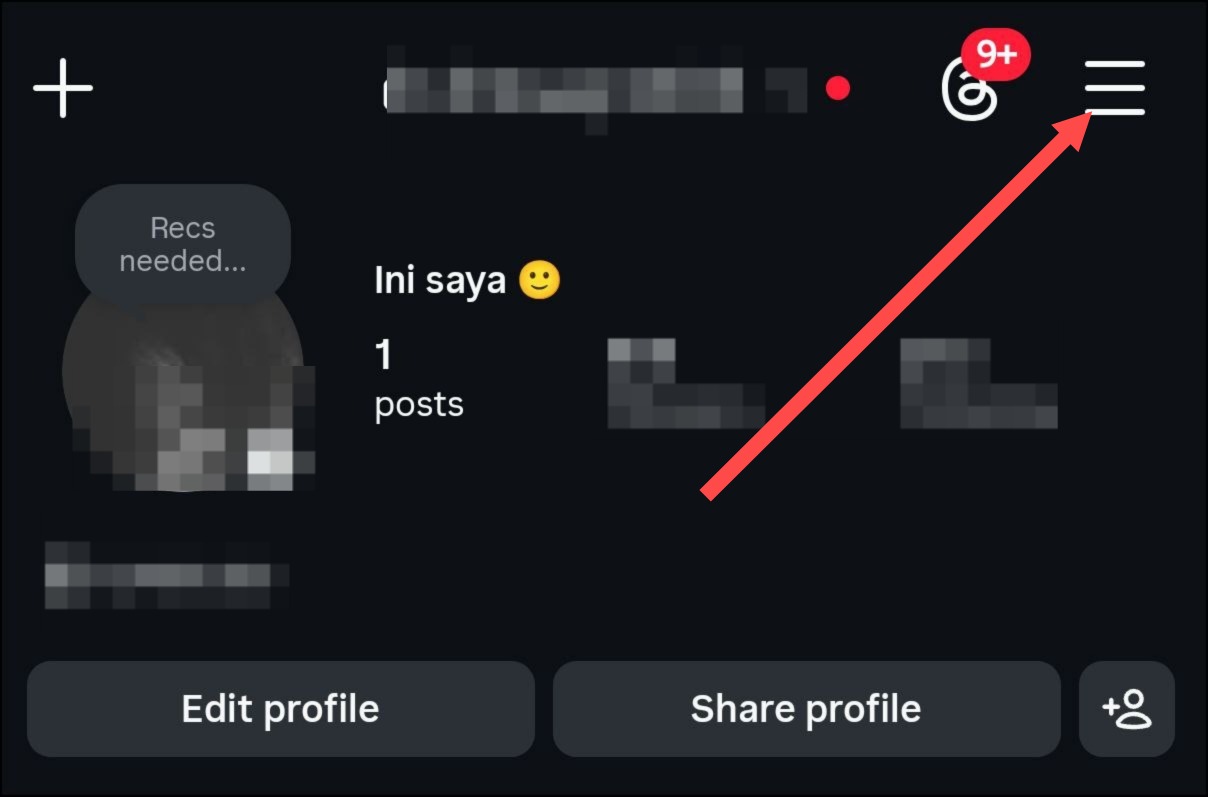
- Tap the menu icon (three horizontal lines) in the top right corner
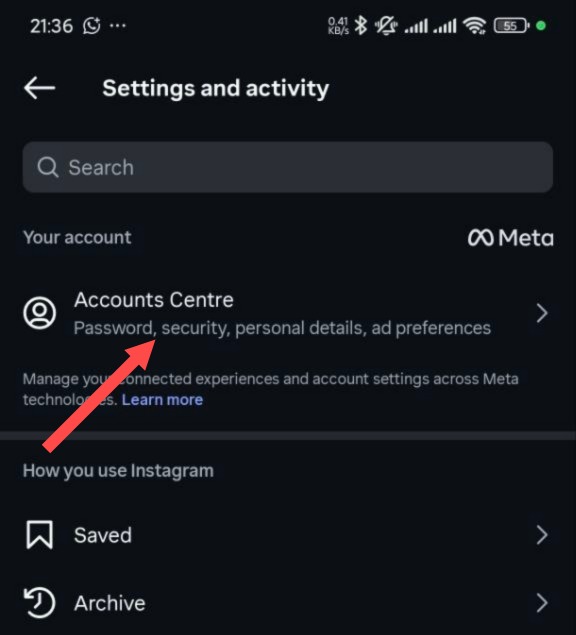
Step 2: Click "Account Centre"
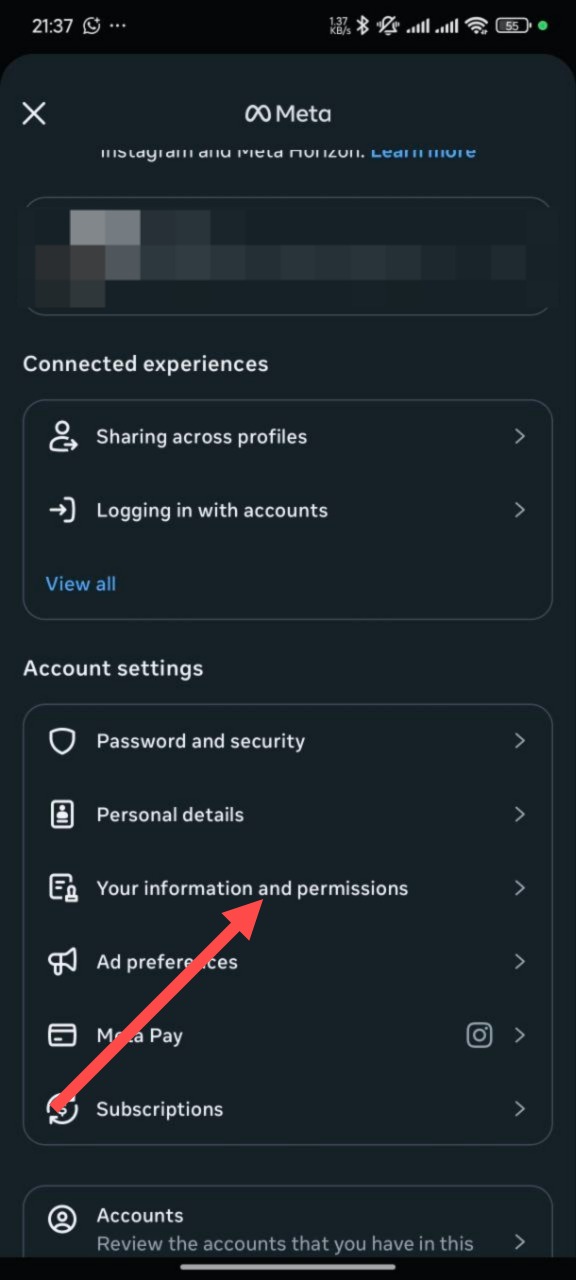
Step 3: Click "Your information and permissions"
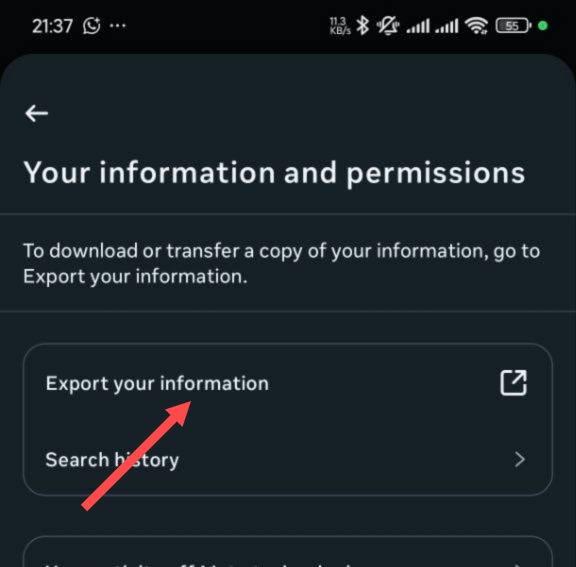
Step 4: Click "Export your information"
Step 5: Click the "Create Export" button
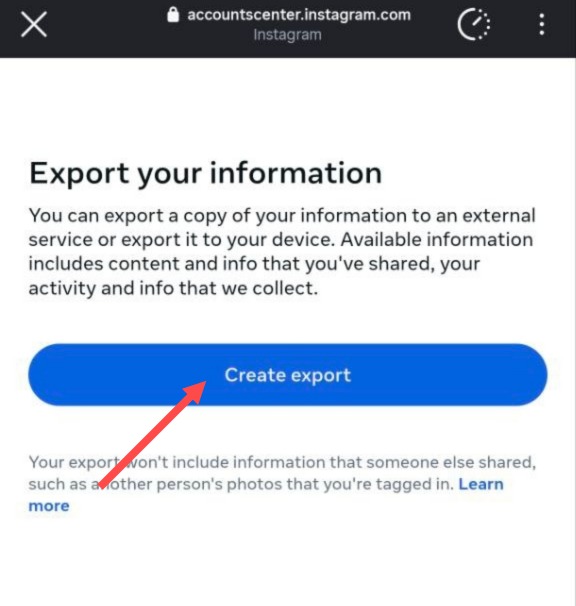
Step 6: Choose your Instagram profile
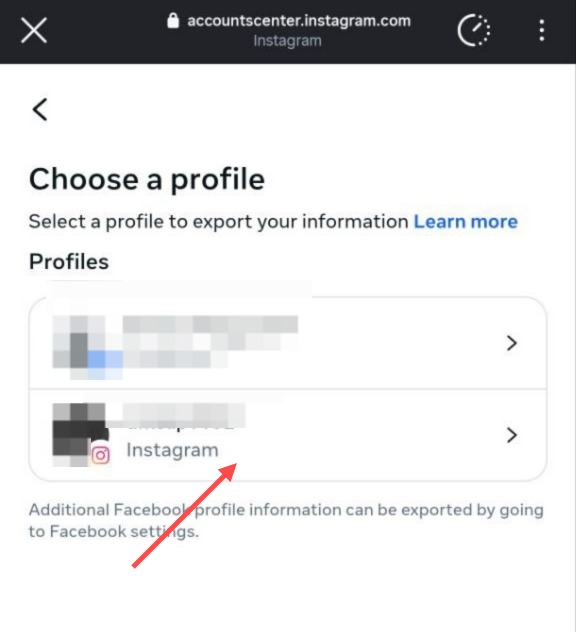
Step 7: Select "Export to device"
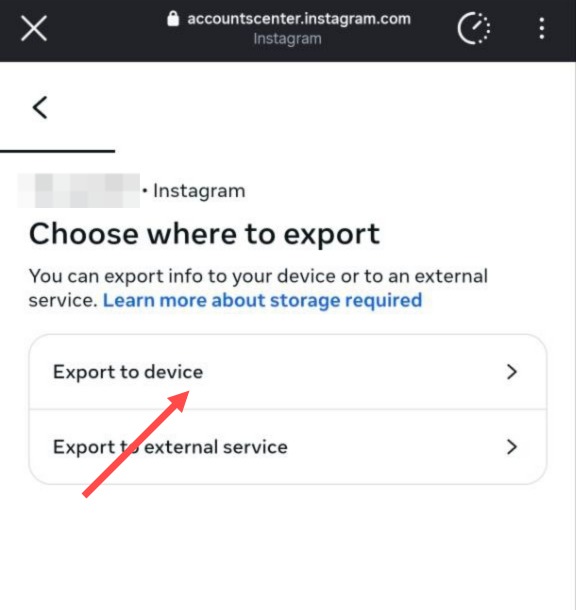
Step 8: Click "Customise information"
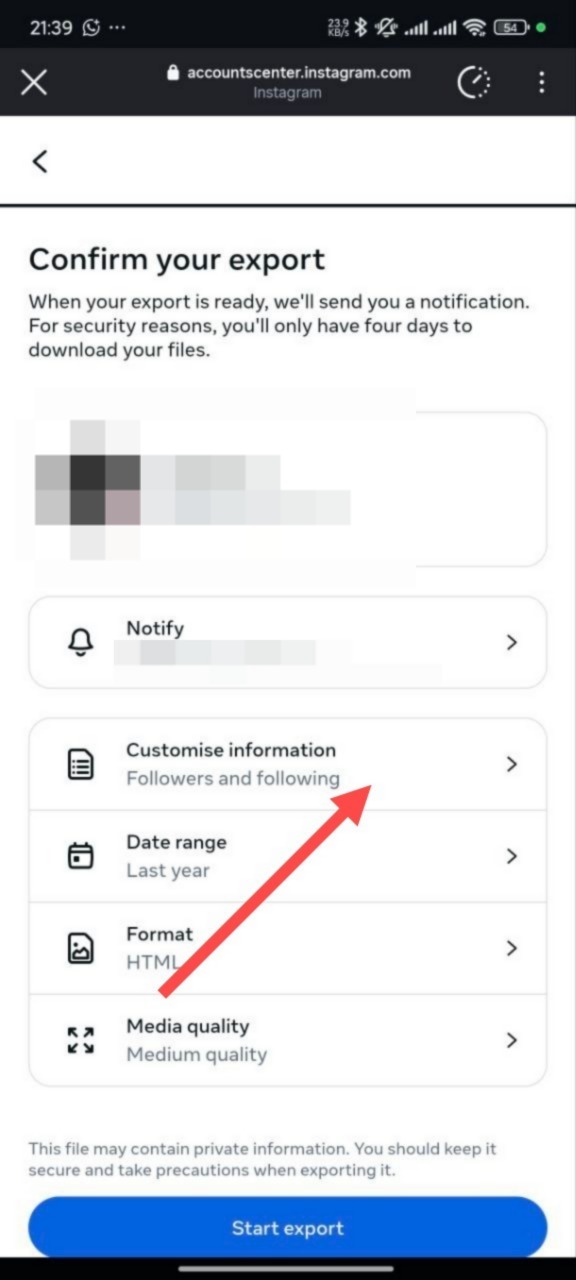
Step 9: Click "Clear All" to deselect all options
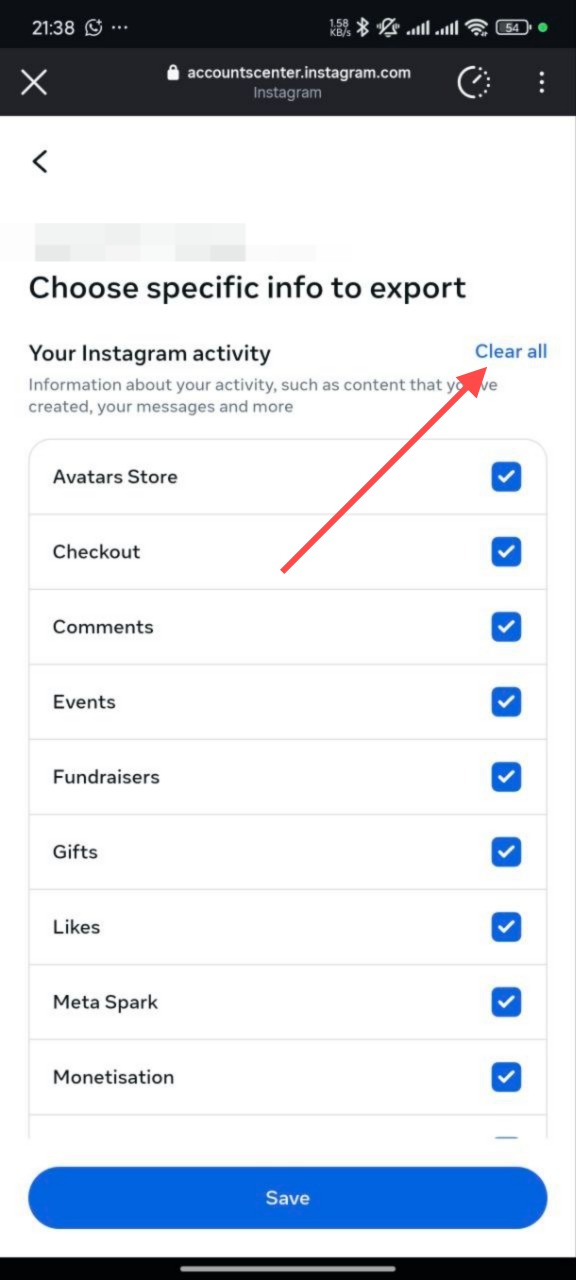
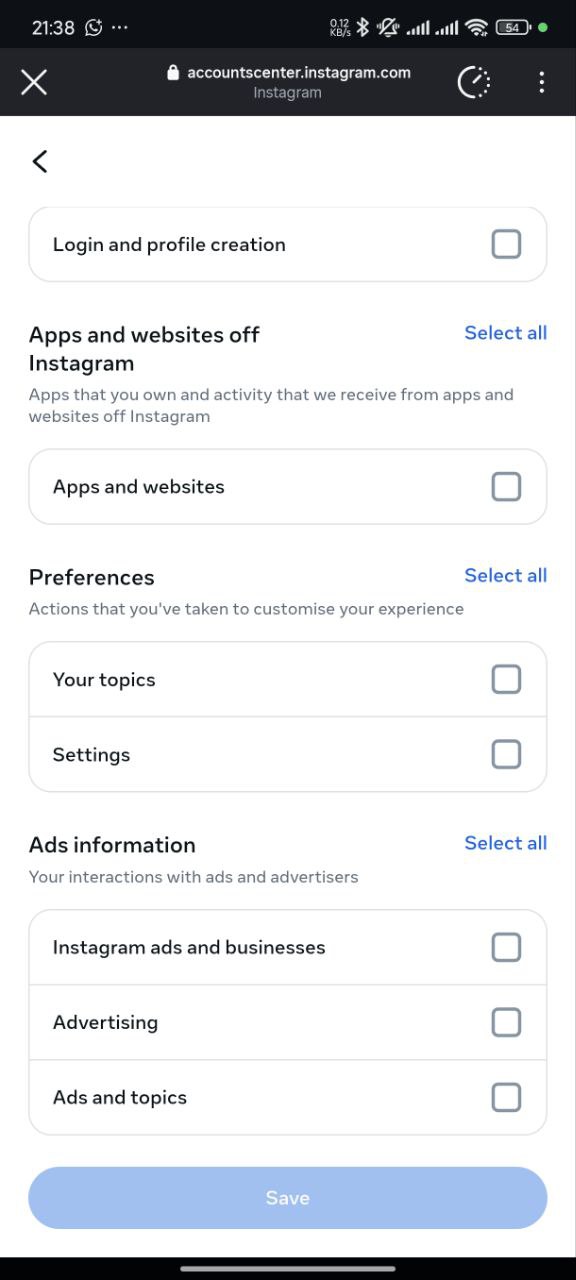
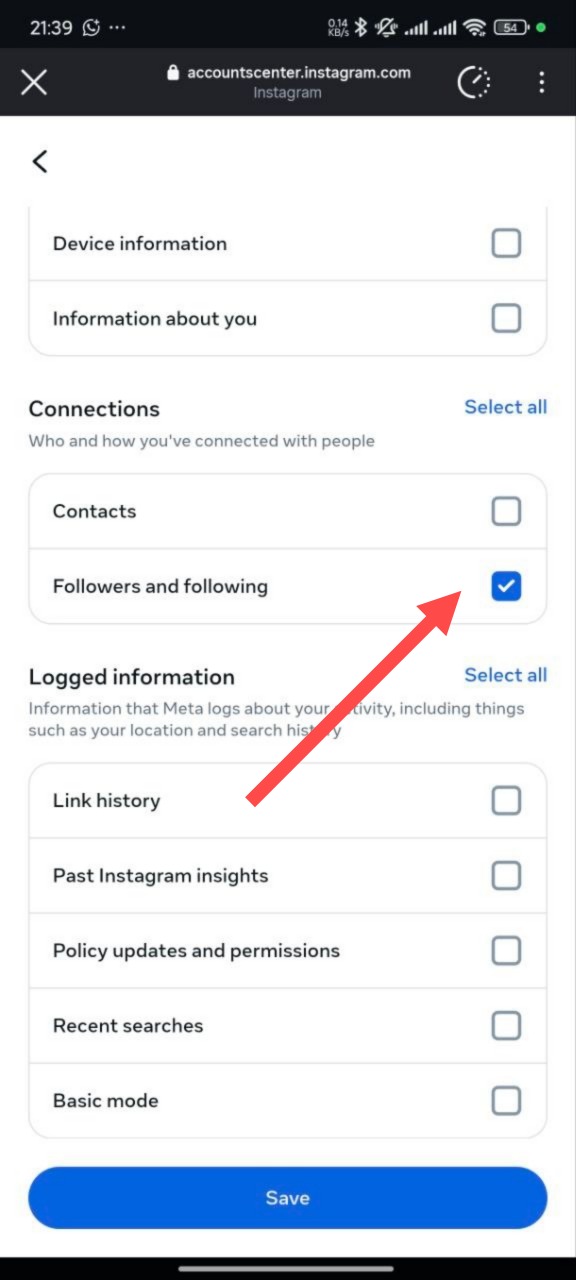
Step 10: Check only "Followers and following", then click "Save"
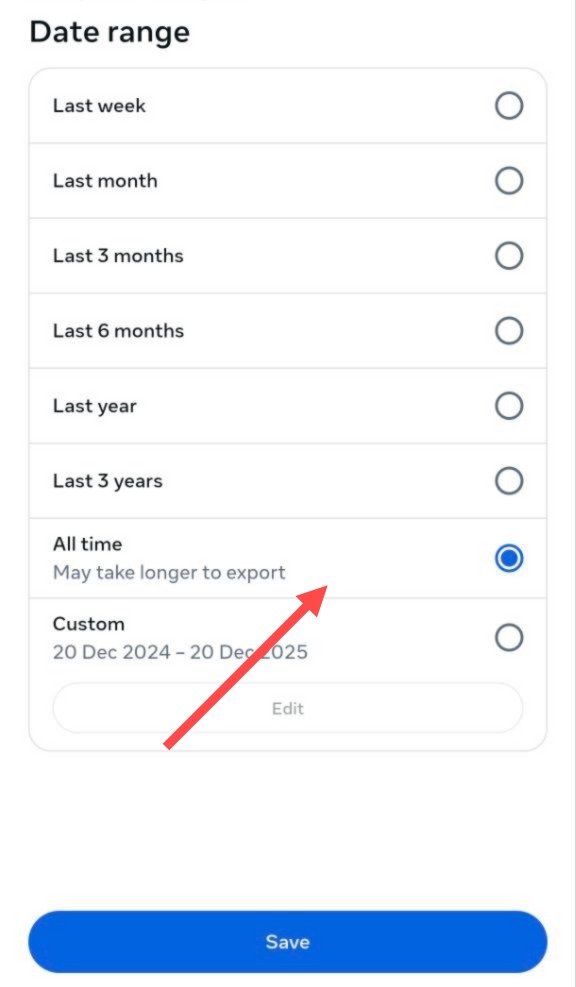
Step 11: Set the date range to "All time", then click "Save"
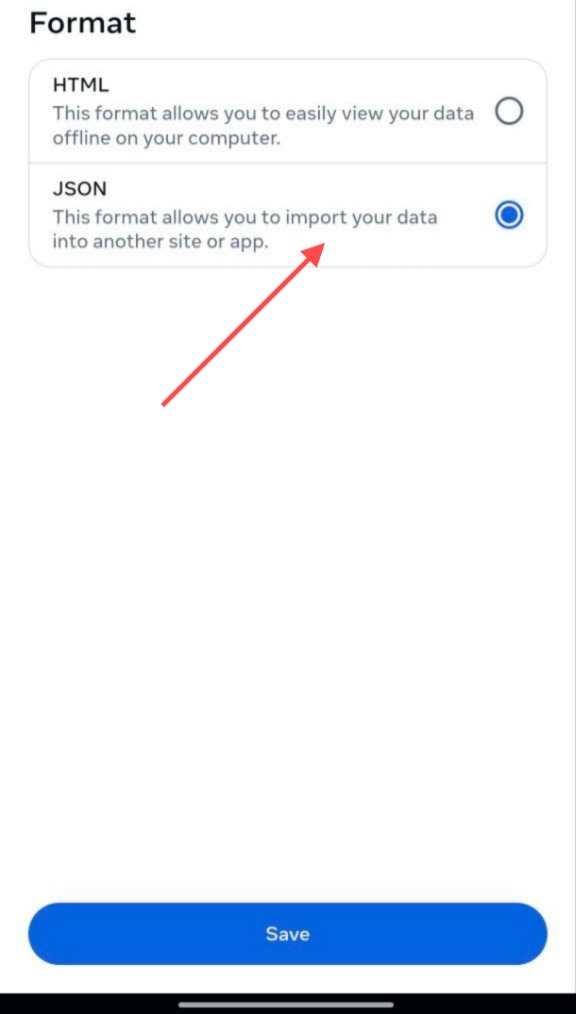
Step 12: Set the format to "JSON", then click "Save"
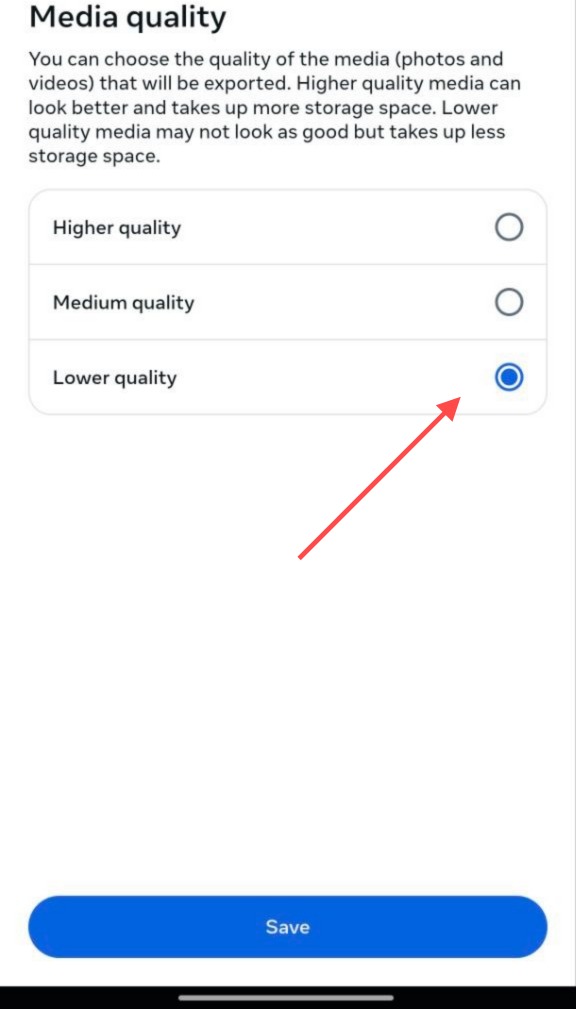
Step 13: Set the media quality to "Lower quality", then click "Save"
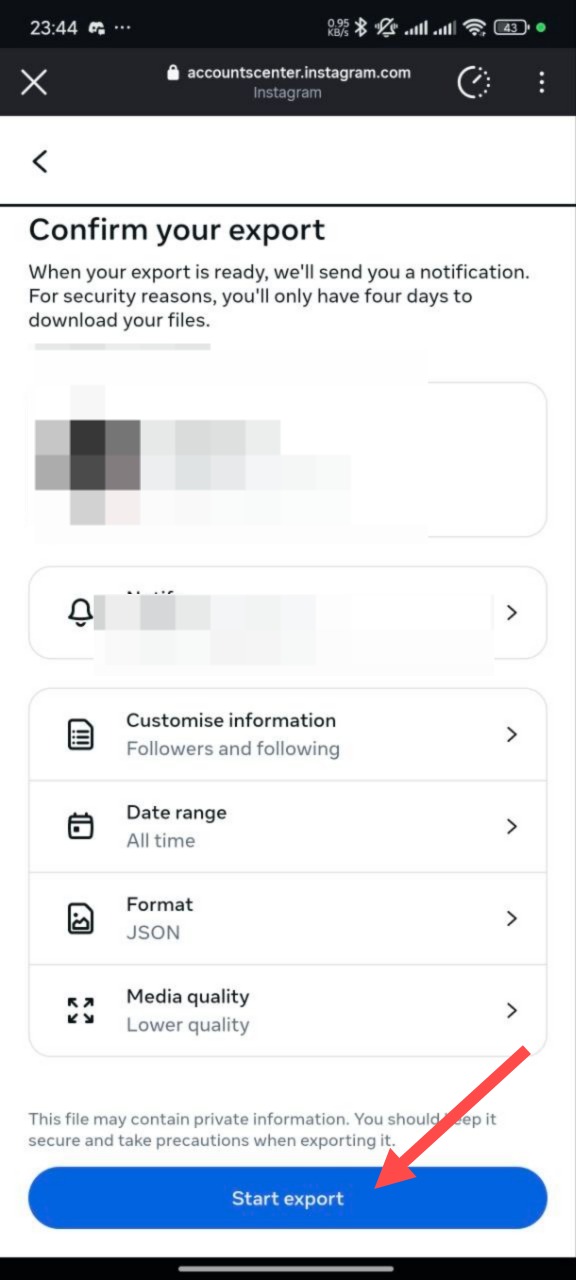
Step 14: Review your settings, then click "Start export" and enter your password when prompted
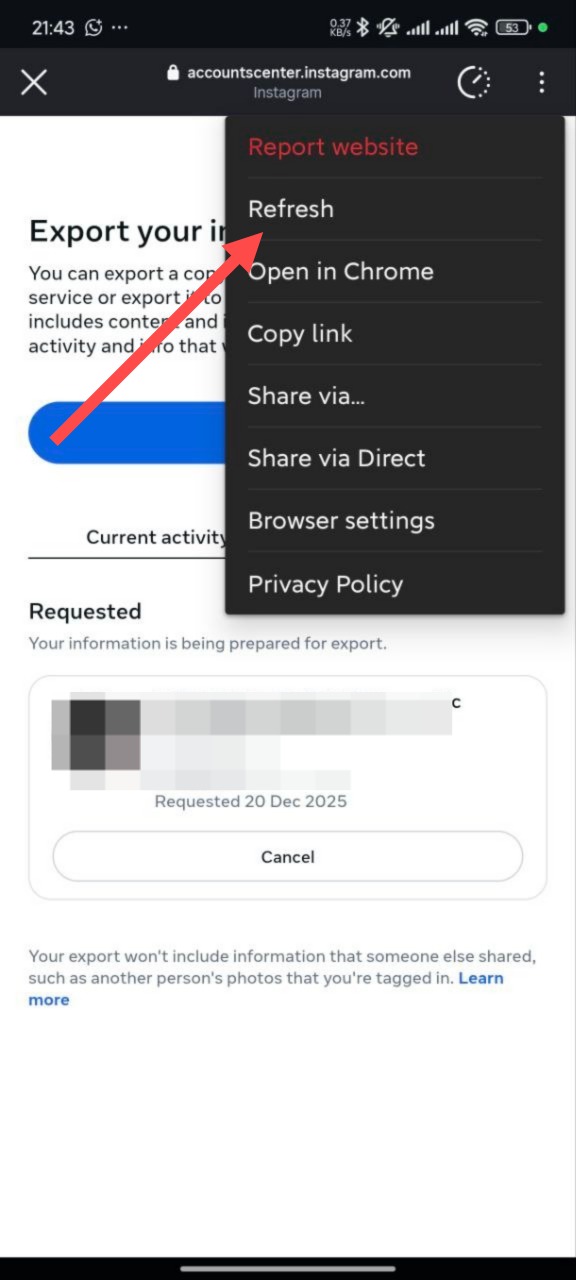
Step 15: Wait 5-15 minutes for Instagram to process your request, then click the refresh button
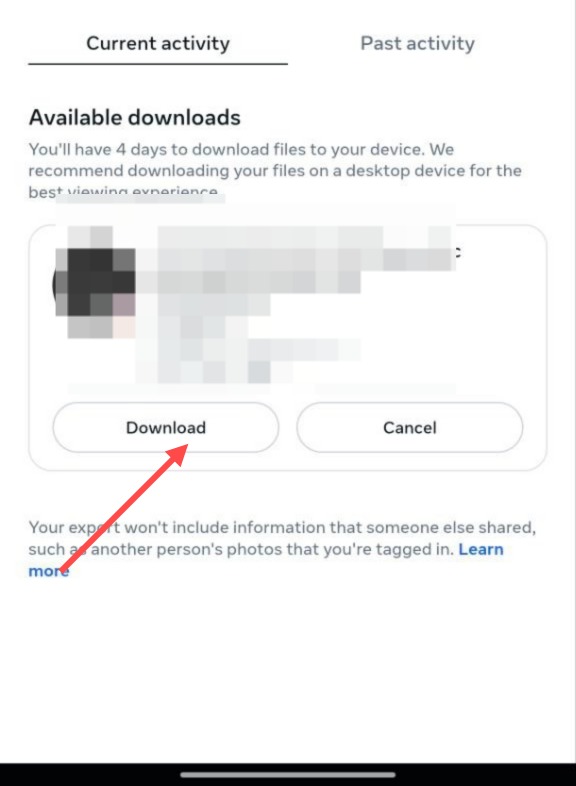
Step 16: Once your export is ready, click "Download" to save the ZIP file to your device
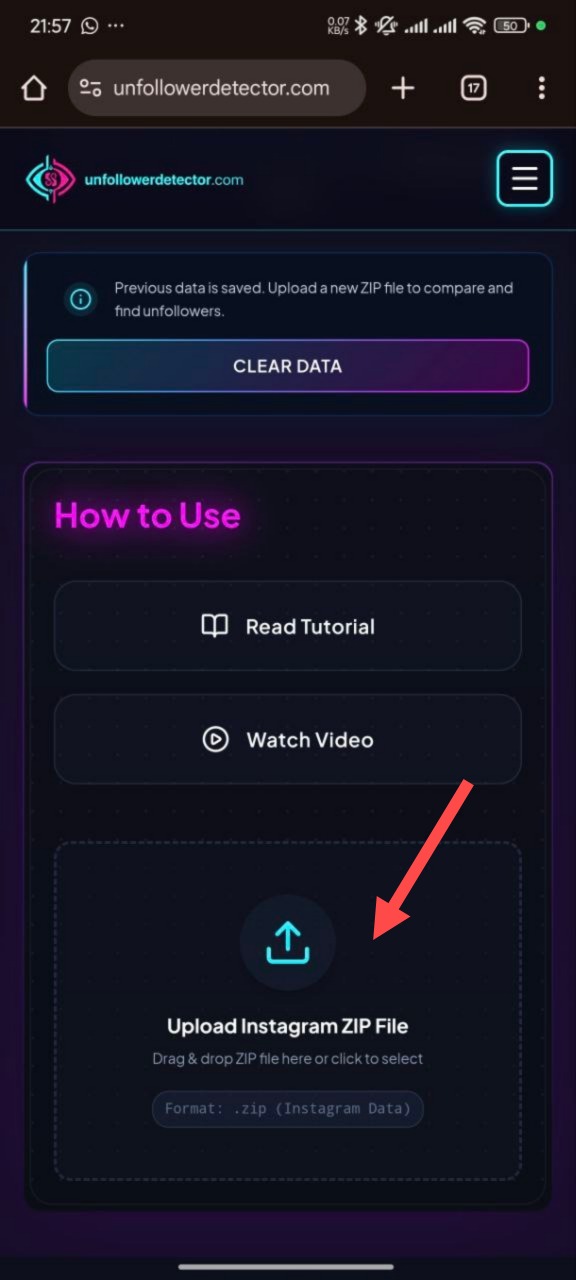
Step 17: Upload the downloaded ZIP file to this tool using the upload section above
Important Notes
- Privacy: Your data is processed locally in your browser. We never store or access your personal information.
- Security: All processing happens on your device - your Instagram data never leaves your computer.
- Free: This tool is completely free to use with no hidden costs.
Troubleshooting
Q: I can't find the download option in Instagram settings
- Make sure you're using the latest version of the Instagram app
- Try accessing Instagram from a web browser instead
- Look for "Account Center" in your Settings menu
Q: The download link expired
- Request a new download from Instagram settings
- Download links typically expire after a few days
- You'll need to create a new export request
Q: My data file is too large
- Make sure you selected only "Followers and following" in Step 10
- Clear all options first, then check only "Followers and following"
- This will create a smaller file that's easier to process